
📺
Streamtion on your Samsung TV
Runs on any Samsung Smart TV (Tizen, 2016 or newer) with the Hot Player app — about 5 minutes end to end.
📬
Everything you type in these steps — server URL, username and password (or your M3U link) — is in the welcome email we send minutes after you start a trial or plan. Nothing arrived? Check spam, then ping support.

Hot Player
RecommendedA clean, fast player made for Smart TVs — one activation and it stays put.
- Install Hot Player. Press Home on your remote → open Apps → search
Hot Player→ Install. (Can’t find it? Update your TV’s firmware first — very old models may not carry it.) - Open the app and note your MAC address. It’s shown on the welcome screen (and at the bottom of the home screen) in the form
a1:b2:c3:d4:e5:f6. - Add your playlist from a phone or computer. Visit the Hot Player activation site (
hotplayer.app), enter your MAC address, paste the M3U link from your welcome email, and save. - Restart the app on your Samsung TV. Your channels, movies and series load automatically — done.
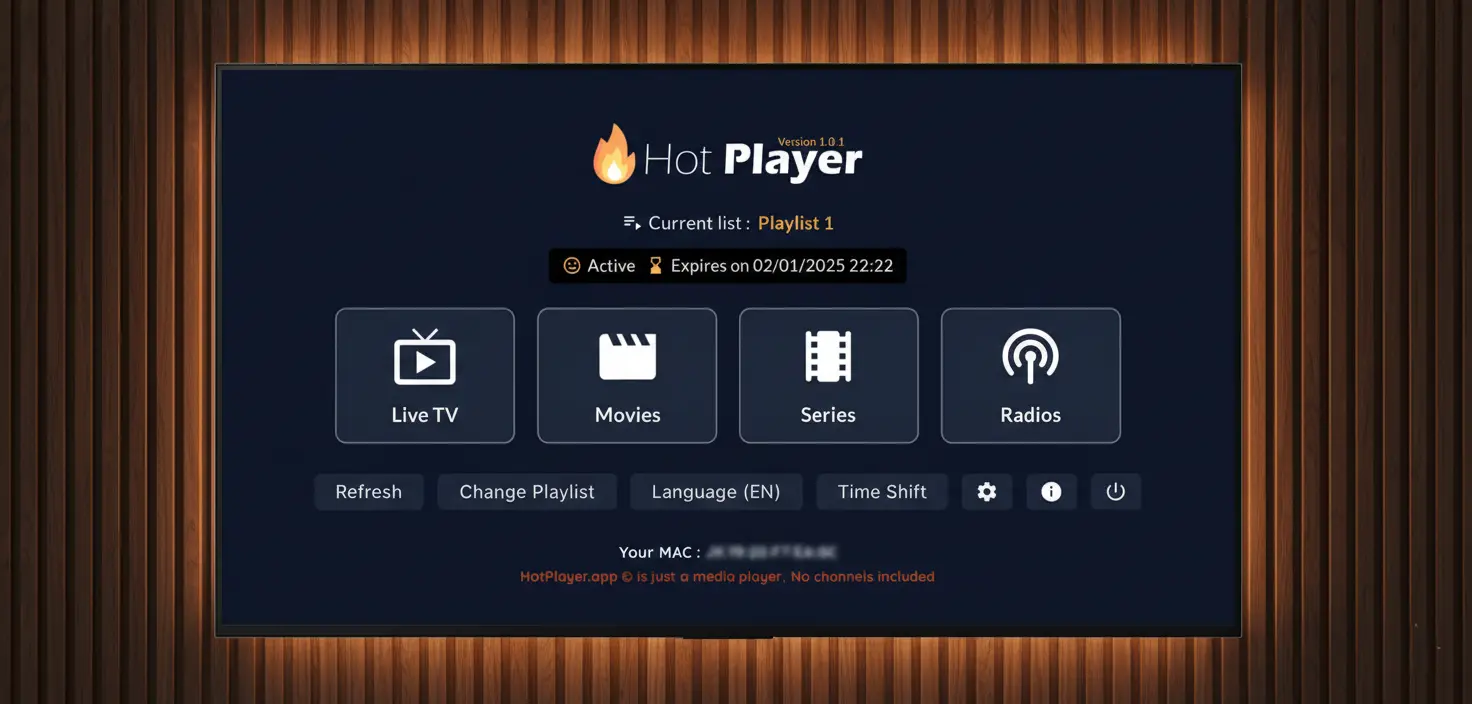
Hot Player itself is free for 7 days, then charges a small one-time activation fee (≈$8, paid to the app’s developer, unlocks that TV forever). Ask support before paying — we’ll point you the right way.
TV too old for Hot Player?
Plan BSome pre-2016 Samsungs can’t install modern apps. Easiest fix: plug a Firestick or Android box into the TV and follow the Firestick guide — or talk to support and we’ll find the best route for your exact model.
🛟
Stuck on any step? We’ll walk you through it live, 24/7. Average first reply is under 5 minutes.
Get setup help