
🔥
Streamtion on your Firestick
Fire TV Stick, Stick 4K, Cube — all of them. TiviMate gives you the slickest guide-first experience on Fire TV.
📬
Everything you type in these steps — server URL, username and password (or your M3U link) — is in the welcome email we send minutes after you start a trial or plan. Nothing arrived? Check spam, then ping support.
TiviMate
RecommendedThe gold-standard IPTV player on Fire TV: a beautiful live guide, catch-up, and rock-solid playback.
- Install TiviMate. Hold the microphone button and say “TiviMate” (or search it in the Appstore) → pick the app by AR Mobile Dev → Download. Not in your region’s store? Install the Downloader app instead, open it, and fetch the official APK from
tivimate.com. - Open TiviMate → Add playlist → Xtream Codes.
- Enter your login. Server URL (with the port, no trailing slash), username and password — copied exactly from your welcome email. Even one stray space will block the login.
- Let the guide build. TiviMate loads channels and EPG on its own — pin your favourites and you’re set.
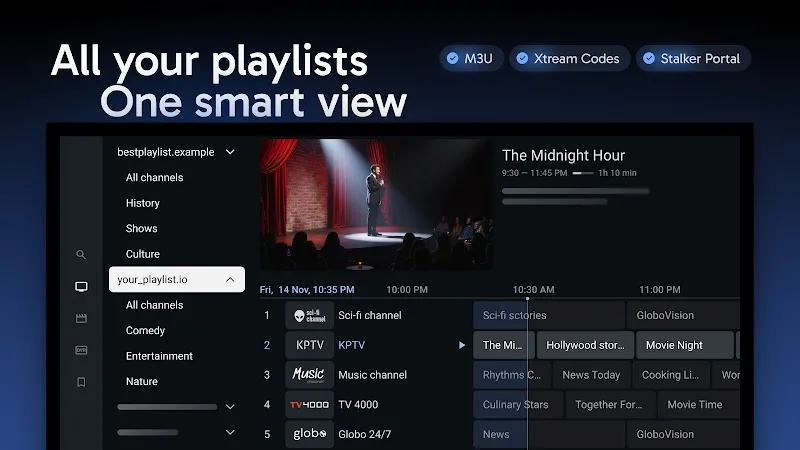
TiviMate’s free version plays one playlist — perfect for Streamtion. Its optional Premium (≈$5/yr, to the app’s developer) adds extras like multi-playlist and recording.

XCIPTV
AlternativePrefer a simpler tile-based layout? XCIPTV works great on Fire TV too.
- Install the Downloader app from the Appstore, open it and fetch XCIPTV from the official site (
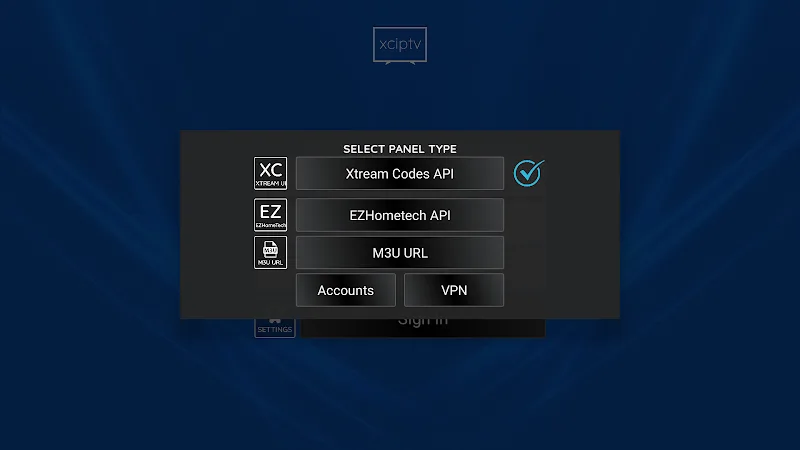
xciptv.com). - Open XCIPTV and choose Xtream Codes API on the login screen.
- Enter the same server URL, username and password from your email — done.
🛟
Stuck on any step? We’ll walk you through it live, 24/7. Average first reply is under 5 minutes.
Get setup help