
🤖
Streamtion on Android
Two paths: TiviMate for Android TV / Google TV boxes, XCIPTV for phones and tablets. Both come straight from Google Play.
📬
Everything you type in these steps — server URL, username and password (or your M3U link) — is in the welcome email we send minutes after you start a trial or plan. Nothing arrived? Check spam, then ping support.
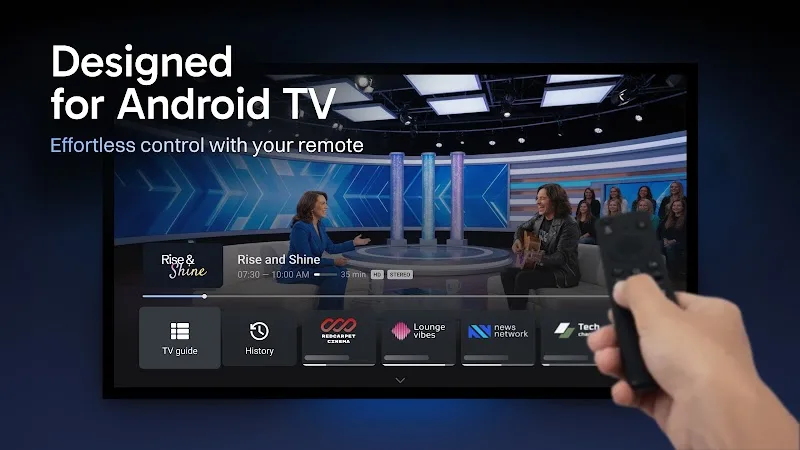
TiviMate
Android TV & boxesMade for the big screen — the best remote-friendly guide on Android TV, Google TV, Chromecast and boxes.
- Install from Google Play on your TV/box — search
TiviMate(developer: AR Mobile Dev). - Open it → Add playlist → Xtream Codes.
- Enter the server URL, username and password from your welcome email (tip: pair your phone with the “Google TV” remote app to type fast).
- Let the guide load once — after that it starts in seconds.

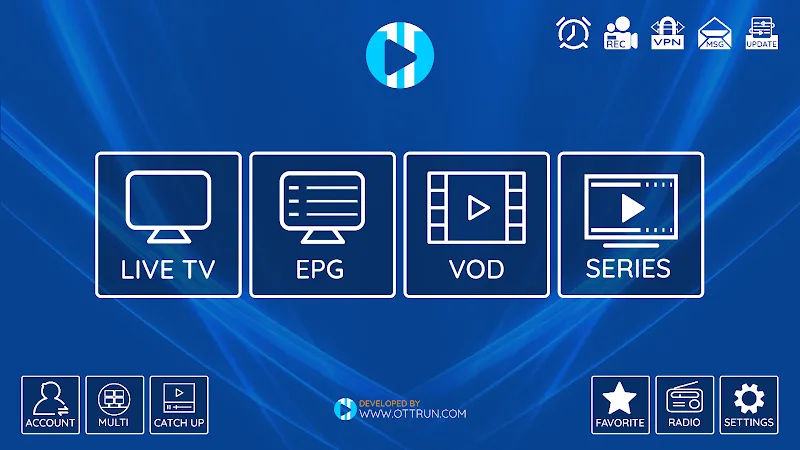
XCIPTV
Phones & tabletsOn a phone or tablet, XCIPTV is the smoother fit — portrait-friendly, with Live TV, EPG, VOD and Series tabs.
- Install XCIPTV from Google Play on your phone or tablet.
- Open it and pick Xtream Codes API on the login screen.
- Enter your server URL, username and password — and watch anywhere.
🛟
Stuck on any step? We’ll walk you through it live, 24/7. Average first reply is under 5 minutes.
Get setup help